If you sell remotely, the camera is not a courtesy. It is a lever. The question buyers and sales leaders keep asking is simple: does video increase sales win rate? Look at the recorded-call data and the answer is yes, and the gap is not small. Deals close more often when reps turn the webcam on. And once the camera is on, the wall behind you is working the whole call.
Most teams still treat video as optional. A rep dials in, leaves the camera off, and shares a deck. That feels efficient. But the research on remote selling close rate suggests it quietly costs deals. This article walks through what the data shows, why your on-screen background becomes part of the pitch, and how to turn it into a standard your whole team can deploy in an afternoon.
Does Video Increase Sales Win Rate? The Data Says Yes
Several analyses of conversation-intelligence platforms, which record and transcribe tens of thousands of real B2B sales meetings, have looked at the same thing: what happens to outcomes when reps sell with the webcam on versus off. The pattern is consistent across these studies.
- Deals were far more likely to close when video was used during the sales cycle compared with audio-only calls.
- Win rates rose sharply on calls where the rep had the camera on, with some datasets showing closed-won rates more than double the audio-only baseline.
- When you separate the wins from the losses, closed deals used webcams notably more often than lost deals did.
- The effect held across deal sizes, which suggests it is the presence itself doing the work, not just the type of deal.
These are correlations, not a controlled lab experiment, and good reps may simply be more likely to turn cameras on. But the webcam on sales calls statistics point the same direction every time they are measured, and the mechanism is easy to explain. Selling is a trust transfer. A buyer is deciding whether to hand you budget, a timeline, and their own internal credibility. Faces build trust faster than voices. When they can see you, read your expression, and watch you react, the relationship forms quicker and objections surface sooner, while there is still time to handle them.
The honest read on the video selling effectiveness data: turning your camera on will not save a bad pitch, but leaving it off forfeits an advantage your competitor is probably using. If video lifts close rates, then every visible detail on camera, including the wall behind you, is now in scope.
If the Camera Is On, So Is Your Background
Here is the part most teams miss. The moment a rep turns the camera on to capture that win-rate lift, they also put their environment on screen for the entire call. The buyer does not glance at it once. They look at it for thirty, forty-five, sixty minutes, every time their eyes drift from the deck back to your face.
That makes the background a sales asset, not a backdrop. It is on screen as long as you are, and it is sending a signal the whole time. The same instinct that makes a buyer trust a tidy, established office in person applies to the small rectangle on their monitor. Your virtual sales first impression is set before you finish your opening line.
Now picture the default. A rep finally switches the camera on and the buyer sees a blank rental wall, a half-made bed, or a kitchen in soft focus. The video lifted engagement, but the room undercut it. An empty or messy space sends the wrong signal at the worst possible moment, right when the buyer is forming a gut read on whether your company is real and reliable.
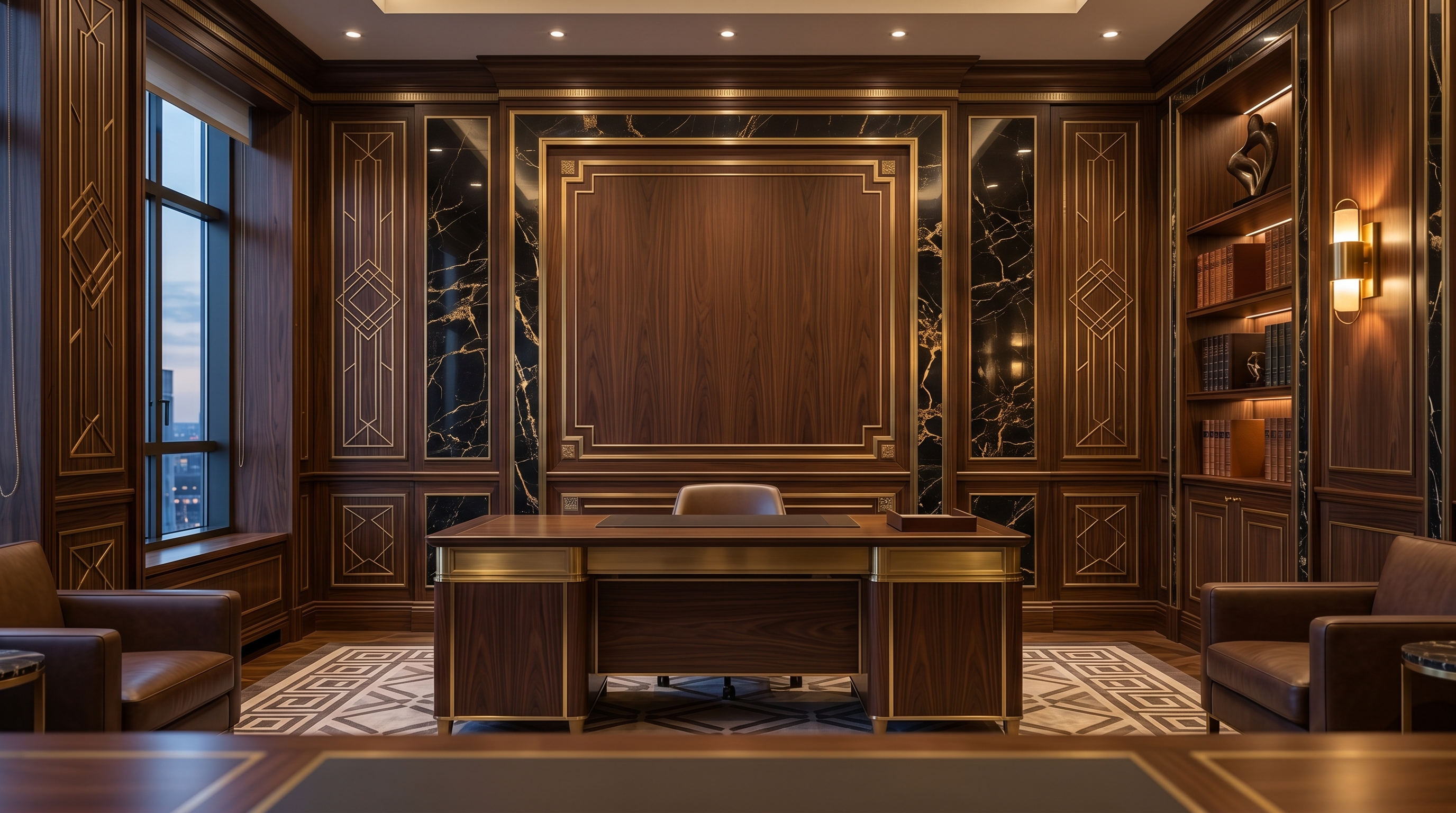
What a Branded Background Communicates
A clean office scene already beats a bedroom. A branded one goes further, because it answers the question every buyer is silently asking: who do I actually work with here? When your logo appears as a real sign in the room, etched into glass or formed in backlit metal letters behind you, the space reads as a place of business rather than a stock photo.
That single cue does a lot of quiet work on a sales call.
- An established vendor, not a fly-by-night. A logo built into the room says the company invested in a real space and a real identity. It reads as permanence, which matters when a buyer is weighing whether you will still be around to support the contract.
- Brand confidence and attention to detail. A scene that is composed, lit, and on-brand signals a team that sweats the small things. Buyers extend that impression to your product and your service.
- A coordinated team. When the SDR, the AE, and the founder all appear in the same branded room, the buyer experiences one company across the whole deal, not three freelancers who happen to share an email domain.
- The right register for the buyer. Formal scenes map to finance, consulting, and executive conversations, while warmer studios fit creative and startup pitches. You choose the credibility your buyer expects.
The trap to avoid is the obvious fix that backfires: a flat logo PNG floating in the corner of a generic backdrop. That reads as clip art and does the opposite of what you want. The goal is a logo that belongs in the room, matched to its perspective and lighting, so it looks like a sign someone actually mounted on the wall.
Which scenes sell best
Following the same logic, the calm and considered rooms tend to win on sales calls. The Art Deco Executive Suite reads as serious and established for finance and closing conversations, while the Curated Library Study leans into the credibility of a consulting setting. You can compare the full range on the wall catalog and match the formality to the deals you run.
Making It a Team Standard
The win-rate lift compounds when it is consistent. One rep with a sharp background is a nice touch. A whole team in the same branded scene is a brand experience. The buyer moves from a discovery call with an SDR to a demo with an AE to a final review with a founder, and the room behind each person carries the same logo and the same look. That repetition reads as one coordinated company, which is exactly the impression that closes enterprise deals.
Here is a simple way to roll it out.
- Pick two scenes. Choose one closing-call wall, usually an executive or finance scene, and one demo or discovery wall that feels a touch more open. Render both with your logo so reps have an option for each meeting type.
- Standardize the file. Distribute each background as a single 1920x1080 image at 16:9 so it fills the frame on Zoom, Microsoft Teams, and Google Meet without stretching or letterboxing.
- Deploy it once per rep. Have each rep upload the file, then leave it set as their default so it loads automatically on every call.
- Pair it with camera-on as a norm. The background only pays off if the camera is on. Make video the default expectation for live selling, not the exception.
Setting it on each platform
Once each rep has the 1920x1080 file, adding it takes under a minute and sticks as a default.
- Zoom: Settings, then Background and Effects, then the plus icon to add the image. A real or green-screen wall behind the rep gives the cleanest edges on camera.
- Microsoft Teams: In a meeting, open More, then Effects and Avatars, choose Add new, and upload the file. Teams remembers the choice for future calls.
- Google Meet: Before or during a call, click the backgrounds icon, then the plus to upload the image.
None of this replaces a strong pitch or a real discovery process. But the data is hard to ignore: video presence lifts close rates, and once the camera is on, your background is part of the sale whether you planned it or not. The only choice you control is whether that screen time works for you or against you.
Render your logo into a credible sales scene as a real in-room sign, then standardize it across the team. Prices start at $49.99 per wall.